Development Is a Right, Not a Favour
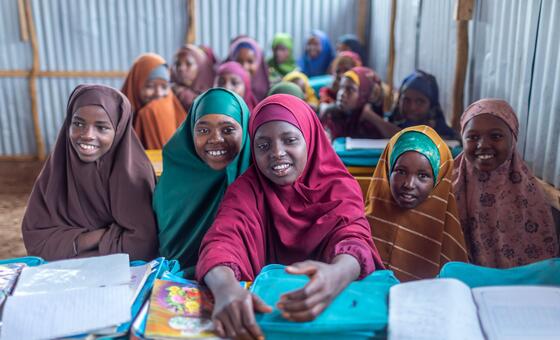
Provpnmatrix.com – A child’s future can be shaped long before they make their first choice. Two children born in the same year may face radically different lives: one may grow up with reliable schools, public services, elections that offer genuine representation and an economy that creates opportunity. The other may be born where poverty, armed conflict, climate disruption or corruption have weakened nearly every path forward.
Neither child selected the place or conditions of their birth. Yet their prospects may be separated by decades of life expectancy, major differences in income and unequal influence over the decisions affecting their communities. The United Nations views such disparities as more than an unfortunate consequence of geography. They raise a question of human rights.
The right to development holds that every person and every people should have a real opportunity to shape and benefit from progress. It is not limited to increasing national income or attracting investment. It includes economic, social, cultural and political advancement, with the aim of reducing inequality and making dignity and opportunity more widely shared.
A principle established four decades ago
UN Member States adopted the Declaration on the Right to Development in 1986. While the declaration is not a legally binding treaty, it describes development as an “inalienable human right.” Its central idea is that people must be able to participate in development, contribute to it and enjoy its results.
This approach places human beings at the centre of policymaking. Development cannot be judged solely by national growth figures if large groups are excluded from its gains, denied a voice or displaced from the resources on which their lives depend. The declaration also recognizes the sovereignty of peoples over their natural wealth and resources.
The right to development “is not about charity, but enablement and empowerment”.
That distinction matters. Charity may address an immediate hardship, but a rights-based approach asks whether people have the tools, institutions, services and decision-making power needed to build secure lives over time. It also asks who controls land, public resources and economic opportunity.
Inequality remains at the heart of the challenge
The scale of the global wealth gap makes the case especially urgent. The World Inequality Report 2026, supported by the UN Development Programme, states that the poorest half of the world’s population owns only two per cent of global wealth. At the other end of the distribution, the richest 0.001 per cent — a billionaire group of roughly 56,000 people — possesses three times more wealth than that entire poorer half combined.
Such imbalances reflect the widening inequality within countries and between them that the UN human rights office identifies as a central concern of the right to development. Economic expansion alone does not guarantee a fair outcome. When the benefits of growth are concentrated, poverty can persist even in places where national wealth increases.
Over the eight decades since the Second World War ended, economic gains have not been spread evenly. Left unresolved, deep inequality can intensify poverty, fuel social tension, contribute to migration and weaken confidence in public institutions. It can also leave communities more exposed when crises strike.
What people-centred development requires
The right to development is built around several practical principles. First, the human person must be both the subject and beneficiary of development. People should not be treated as passive recipients of policies designed elsewhere.
Second, participation must be active, free and meaningful. Communities need a genuine role in decisions that determine how public resources are used, how projects are planned and how the benefits are divided. Consultation without influence does not meet that standard.
Third, non-discrimination is essential. No one should be excluded from development because of race, sex, language or religion. Finally, self-determination means that peoples should retain control over their own resources and be able to determine priorities that fit their circumstances.
These ideas are not abstract. In Morocco, vocational-training initiatives have helped women begin activities that generate income. In Colombia, Indigenous communities took part in the country’s peace accords. In Afghanistan, India and Palestine, communities have learned approaches for sharing resources more fairly instead of competing over them.
Each example points to the same broader lesson: durable progress is more likely when people are involved in shaping it and can benefit from it on fair terms.
The cost of exclusion
The experience of the Endorois community in Kenya shows what can happen when those principles are ignored. The community, numbering about 60,000 people, had lived near Lake Bogoria for centuries. When their land was converted into a game reserve, they were excluded from the decision-making process.
Without meaningful consultation or an equitable share of benefits from the reserve, the Endorois lost access to grazing lands that supported their livelihood. Many cattle died as a result. The case illustrates why development projects cannot be considered successful merely because they create a new economic or environmental asset; they must also respect the rights and welfare of the people whose land and lives are affected.
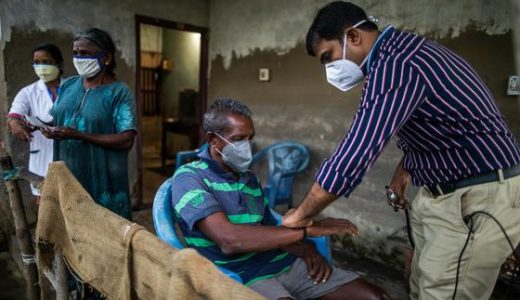
The COVID-19 pandemic exposed another form of unequal access. Developing countries had fewer opportunities to obtain vaccines, even as vaccination was central to protecting lives worldwide.
“More than 600,000 deaths could have been prevented if all countries had been able to reach the World Health Organization vaccination target by the end of 2021. This failure was tragic and profoundly immoral.”
The pandemic demonstrated that global health, economic stability and human rights are closely connected. A crisis in one region can affect all others, but the burden is not shared equally when poorer countries lack access to essential resources.
Renewing a global commitment
Forty years after the 1986 declaration, major obstacles still stand in the way. States have disagreed over whether obligations should be binding, international cooperation has often been insufficient and political commitment has not always matched the scale of the problem.
Climate shocks, conflict and immigration are overlapping pressures that are worsening poverty and inequality in many parts of the world. These challenges make the right to development increasingly relevant because they show how quickly progress can be reversed when people lack resilient services, inclusive institutions and control over the resources they need.
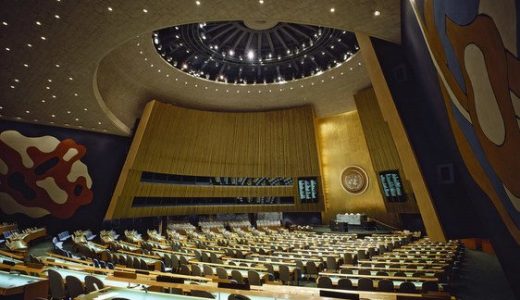
On 23 September, UN Member States will gather in New York to renew their commitment to giving every person a fair chance to live with dignity, opportunity and hope. World leaders will consider progress over the past four decades and discuss ways to reduce poverty, broaden opportunity and confront inequalities that still prevent millions from fully sharing in economic and social development.
The question is not whether development should happen, but who is allowed to shape it and who is permitted to benefit. Treating development as a right insists that a child’s birthplace should not determine the limits of their future.
Related Reading
Frequently Asked Questions
What is The right to development?
The right to development is the main topic of this guide. The article explains the context, practical details, and next steps readers should understand.
Why does The right to development matter?
The right to development matters because readers are looking for a useful answer, not just a short summary. Good content should match search intent and help them decide what to do next.