
How To Build A Proxy Server: Step-by-Step Guide

Welcome to our comprehensive guide on how to build a proxy server from scratch. In this article, we will provide you with a detailed step-by-step process for setting up and configuring your own proxy server. Whether you want to improve your online security, access restricted content, or enhance your web management capabilities, building a proxy server can be a game-changer.
Before we dive into the technical aspects, it’s crucial to understand the concept of proxy servers and the benefits they offer. By acting as an intermediary between your device and the internet, proxy servers can provide anonymity, bypass content filters, and improve network performance. Now, let’s get started on the exciting journey of setting up your own proxy server.
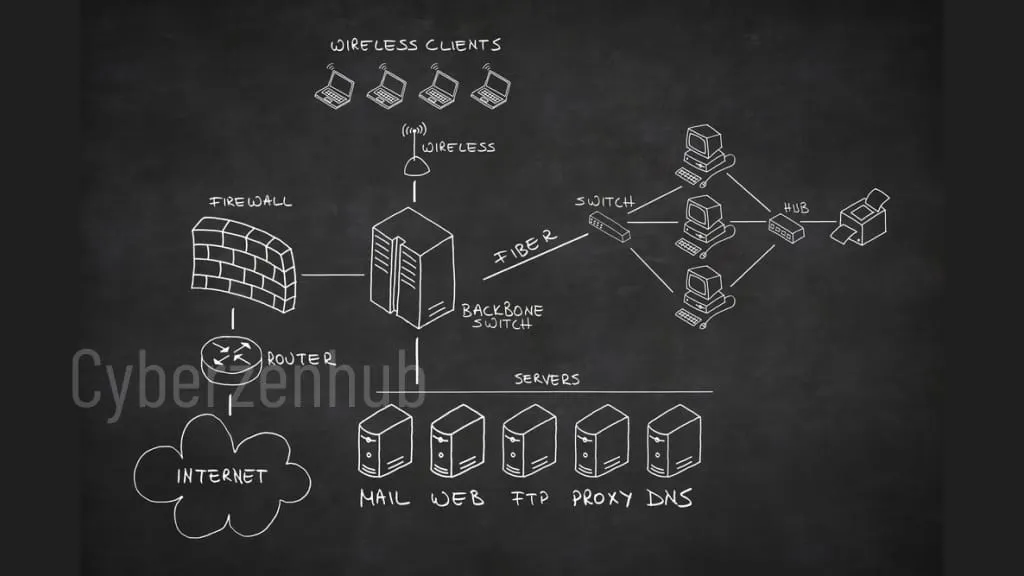
Understanding Proxy Servers and Their Benefits
Before diving into the process of building a proxy server, it’s important to have a clear understanding of what a proxy server is and the benefits it provides. By acting as an intermediary between your device and the internet, a proxy server enables you to browse the web anonymously and securely.
A proxy server offers a range of advantages, making it an indispensable tool for various use cases. Here are some key benefits of using a proxy server:
-
Anonymity and Privacy:
A proxy server masks your IP address, making it difficult for websites and online services to track your online activities. This ensures a higher level of privacy and protects your sensitive information from being exposed.
-
Access Control:
With a proxy server, you can control access to certain websites or web content. This is useful for organizations that want to restrict employee internet access or parents who want to filter content for their children.
-
Improved Performance:
Proxy servers can cache web content, reducing the load on your network and enhancing website loading speeds. This is particularly beneficial for frequently visited websites or areas with limited internet bandwidth.
-
Security and Filtering:
Proxy servers can provide additional security measures such as filtering out malicious content, blocking unwanted ads, and preventing access to potentially harmful websites.
-
Geo-Restriction Bypassing:
By routing your internet traffic through a proxy server located in a different region or country, you can bypass geo-restrictions imposed by certain websites or streaming platforms.
Understanding these benefits will help you appreciate the value and importance of building your own proxy server. In the next section, we will guide you through choosing the right hardware and operating system to get started with your proxy server setup.
Choosing the Right Server Hardware and Operating System
When it comes to building a proxy server, the first crucial step is selecting the right server hardware and operating system. The performance and effectiveness of your proxy server setup will greatly depend on these decisions. Let’s take a closer look at the process of choosing the ideal hardware and operating system for your proxy server installation.
1. Evaluating Your Server Hardware Requirements
Before making any hardware decisions, it’s essential to assess your specific needs and requirements. Consider factors such as the number of users, expected traffic volume, and the types of applications or services you will be using the proxy server for. These considerations will help you determine the necessary hardware specifications, including processor power, RAM, and storage capacity.
2. Researching Reliable Server Hardware Providers
Once you have a clear understanding of your server hardware requirements, conduct thorough research to identify reliable and reputable server hardware providers. Look for companies that offer a wide range of options and have a strong track record in delivering high-performance server hardware. Reading reviews and seeking recommendations from trusted sources can be helpful during this research phase.
3. Selecting the Ideal Operating System
Choosing the right operating system for your proxy server is equally important as selecting the hardware. Consider factors such as stability, security features, compatibility, and ease of management. Popular choices for proxy server installations include Linux-based operating systems like Ubuntu Server, CentOS, or Debian. These operating systems are known for their robustness, reliability, and extensive community support.
4. Evaluating Operating System Requirements
Ensure that the operating system you choose supports the software and applications you plan to run on your proxy server. Check the system requirements of your chosen proxy server software and cross-reference them with the specifications of your preferred operating system. This will help ensure compatibility and optimal performance.
5. Considering Additional Software Requirements
Depending on your specific needs, you may also need to consider additional software requirements such as firewall solutions or load balancing tools. These additional software components can enhance the security and performance of your proxy server setup. Research and select the appropriate software solutions that align with your goals and requirements.
By carefully choosing the right server hardware and operating system, you lay a solid foundation for building a robust and efficient proxy server. In the next section, we will guide you through the process of installing and configuring the proxy server software to get your server up and running.
Installing and Configuring Proxy Server Software
Now that you have set up your hardware and operating system, it’s time to move on to the next crucial step – installing and configuring the proxy server software. This section will guide you through the seamless installation process and provide detailed instructions for configuring your proxy server to ensure its optimal performance.
To get started with the installation, follow these steps:
- Identify the right proxy server software for your needs. Popular options include Squid, Nginx, and Apache.
- Download the chosen proxy server software from the official website.
- Before installing, make sure your system meets the software’s requirements.
- Run the installation file and follow the on-screen instructions.
- Once the installation is complete, it’s time to configure your proxy server.
Configuration is an essential step to ensure your proxy server functions as desired. Here are the key steps to follow:
- Locate the configuration file of the proxy server software. It is typically found in the installation directory.
- Open the configuration file using a text editor.
- Modify the relevant settings as per your requirements, such as port number, access control rules, cache size, and logging options.
- Save your changes and close the configuration file.
- Restart the proxy server for the changes to take effect.
By following the above steps, you will successfully install and configure your proxy server software. Remember to refer to the official documentation and user guides provided by the software’s developers for any specific instructions or advanced configuration options.
Implementing Security Measures for Your Proxy Server
When setting up and configuring your proxy server, it is crucial to prioritize security measures to safeguard your data and prevent unauthorized access. Take the following steps to enhance the security of your proxy server:
- Secure Access Control:Configure access controls to ensure that only authorized users can connect to your proxy server. Implement secure passwords, user authentication, and role-based access control (RBAC) to regulate and manage user permissions effectively.
- Encryption:Enable encryption protocols, such as SSL or TLS, to establish secure connections between your proxy server and users. This prevents data interception and ensures the confidentiality of sensitive information.
- Firewall Protection:Utilize firewall software or hardware to protect your proxy server from unauthorized access and potential attacks. Configure appropriate firewall rules to allow only necessary traffic and block potential threats.
- Logging and Monitoring:Implement comprehensive logging and monitoring mechanisms to track and analyze proxy server activities. Regularly review logs and monitor network traffic to identify any suspicious behavior or security breaches.
- Regular Updates and Patch Management:Stay up-to-date with the latest security patches, bug fixes, and software updates for your proxy server and its underlying components. Regularly check for updates and apply them promptly to address known vulnerabilities.
- Network Segmentation:Consider implementing network segmentation to isolate your proxy server from the rest of the network. This adds an additional layer of security and minimizes the impact of any potential breaches on your entire infrastructure.
- Continuous Security Auditing:Perform regular security audits to identify and address any weaknesses or vulnerabilities in your proxy server configuration. Conduct penetration testing and vulnerability assessments to ensure the ongoing protection of your network.
By implementing these security measures, you can significantly enhance the security and reliability of your proxy server. Taking proactive steps to protect your data from unauthorized access and potential threats is essential in today’s digital landscape.
Optimizing Proxy Server Performance
Once you have successfully set up your proxy server, it’s important to optimize its performance to ensure seamless and efficient operation. By implementing certain optimizations, you can enhance the speed, reliability, and overall performance of your proxy server configuration.
Here are some tips and tricks to fine-tune your proxy server for optimal performance:
- Monitor and analyze server performance regularly to identify any bottlenecks or areas for improvement.
- Optimize caching settings to store frequently accessed content locally, reducing the need for repeated requests to the remote server.
- Configure bandwidth allocation to prioritize critical services or specific users, ensuring a smooth and uninterrupted browsing experience.
- Implement load balancing techniques to distribute incoming traffic evenly across multiple proxy servers, preventing overload on a single server and improving response times.
- Enable compression to reduce the size of transferred data, minimizing bandwidth consumption and accelerating page load times.
- Fine-tune connection settings, such as timeouts and number of connections, to avoid unnecessary delays and ensure optimal performance.
- Regularly update and patch proxy server software to benefit from performance enhancements and security fixes.
By following these optimization techniques, you can significantly improve the performance of your proxy server setup. However, it’s important to remember that every network environment is unique, and it may require some experimentation and fine-tuning to achieve the best results for your specific configuration.
Conclusion
Congratulations! You have successfully completed our step-by-step guide on how to build a secure and efficient proxy server. By following the instructions provided throughout this article, you now have a powerful tool at your disposal that will enhance your web management capabilities.
Remember, maintaining and updating your proxy server regularly is crucial to ensure ongoing security and optimal performance. Stay on top of software updates, regularly review access permissions, and monitor your proxy server’s usage to identify any potential vulnerabilities.
With your newly built proxy server, you can now enjoy the benefits of improved privacy, enhanced network performance, and the ability to bypass geo-restrictions. Whether you’re a business looking to protect sensitive data or an individual seeking greater online freedom, a proxy server is an invaluable asset.
So go ahead and put your new proxy server into action. Explore its capabilities, customize the settings to meet your specific needs, and enjoy a safer and more efficient online experience.
FAQ
How long does it take to build a proxy server?
The time it takes to build a proxy server depends on various factors, including your technical expertise and the complexity of your setup. On average, the process can take a few hours to a couple of days.
Is it necessary to have advanced technical skills to build a proxy server?
While having some technical knowledge can be helpful, it is not always necessary to have advanced skills to build a proxy server. By following our step-by-step guide and carefully reading the documentation provided by the proxy server software, even beginners can successfully set up a proxy server.
Can I use any computer as a proxy server?
Any computer can potentially be used as a proxy server, as long as it meets the minimum requirements and can handle the expected traffic. However, for optimal performance and security, it is advisable to use a dedicated server or a computer specifically designated for proxy server purposes.
Are proxy servers legal?
Proxy servers themselves are legal tools. However, it is important to use them responsibly and within the bounds of the law. Engaging in illegal activities through a proxy server, such as accessing banned websites or engaging in copyright infringement, is strictly prohibited.
Can I use a proxy server for gaming?
Proxy servers are not typically recommended for gaming purposes, as they can introduce latency and affect the overall gaming experience. However, some gamers use proxy servers to bypass certain geographical restrictions or protect their IP addresses during gameplay.
monperatoto
monperatoto
monperatoto
situs togel
situs gacor
situs toto
toto togel
situs slot resmi
slot gacor
slot resmi
togel online
situs toto
togel
monperatoto
slot gacor
togel online
slot resmi
slot gacor
monperatoto
situs gacor
toto togel
toto togel
agen togel
togel online
monperatoto
situs togel online
situs togel terpercaya
toto togel
slot gacor
monperatoto
monperatoto
monperatoto
monperatoto
situs toto
situs togel
toto togel
monperatoto
monperatoto
situs gacor
monperatoto
monperatoto
monperatoto
monperatoto
situs slot gacor
monperatoto
monperatoto
